GSE SMART IPTV7.4
Publisher Description
Support : CHROMECAST
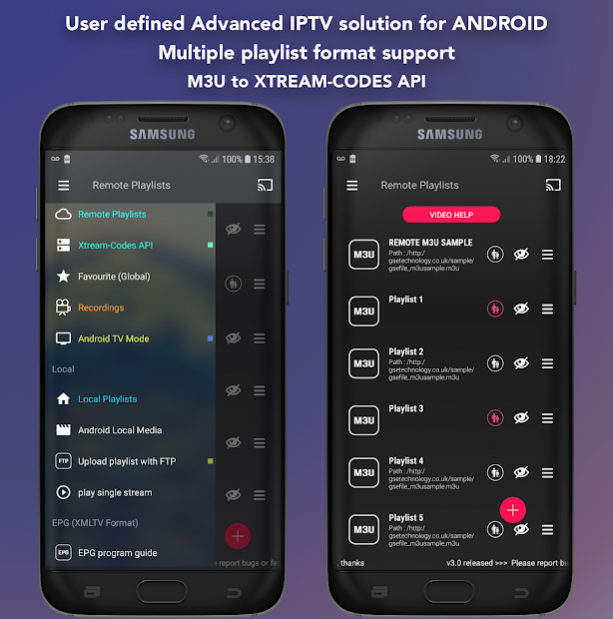
Support : XTREAM-CODES API
API support automatic live and VOD playlist including EPG and movie info.
Support : AUTOMATIC LIVE STREAM RECONNECTION
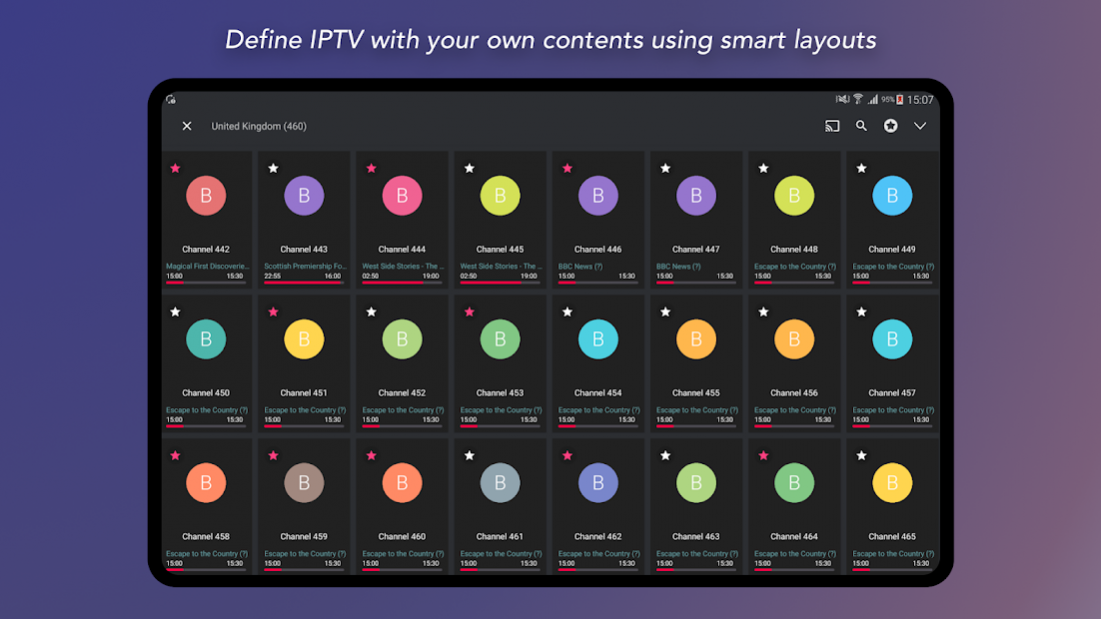
Support : EPG XMLTV FORMAT (local and remote file support ,xml , zip , gz formats)
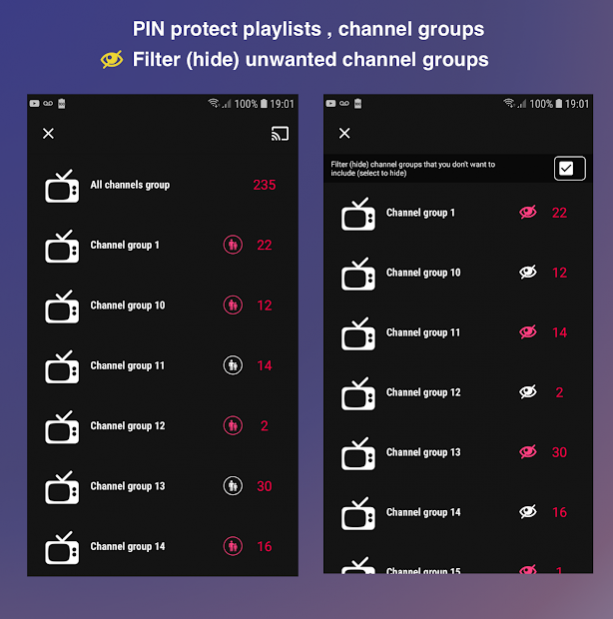
Support : Parental control
Support : Copy and paste M3U contents
Support : Dynamic language switching (31 LANGUAGE)
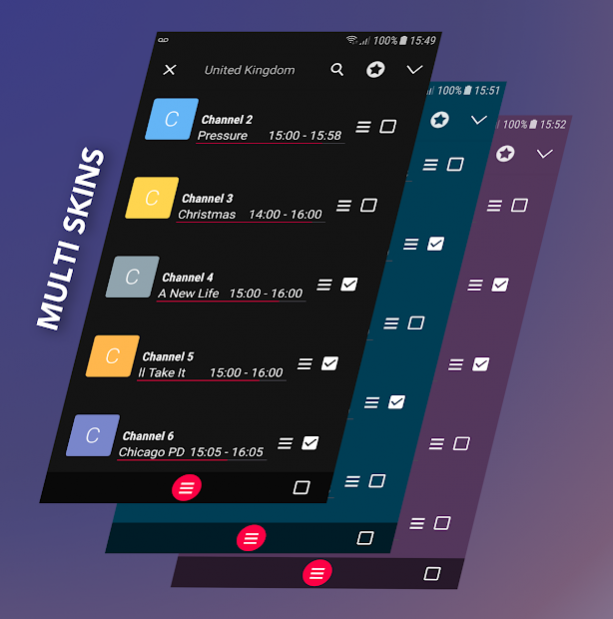
Support : Multiple theme
Support : built-in player support all popular formats including RTMP tokens
Support : Embedded subtitle and external subtitle (SRT) support
(Embedded bimap subtitle support : DVB TELETEXT , dvd subtitle , dvb subtitle , xsub ,hdmv pgs subtitle , ASS , SSA , SUBRIP .... and more ....)
****** BUILD-IN PLAYER SUPPORTED DEVICES **********
- ARMV7A devices
- ARM64 devices
- INTEL X86 devices (also work on x86_64 devices)
***** Please note this app does not contains any playlists except sample playlists. User must provide their own content. ******
GSE SMART IPTV is a complete user defined Advanced IPTV solutions for live and non-live TV/stream.
★ ★ ★ ★
Built-in Player features
★ ★ ★ ★
Video Format Suppported:
3g2, 3gp, 3gp2, 3gpp, amv, asf, avi, divx, drc, dv, f4v, flv, gvi, gxf, webm, wm, wmv, wtv, xesc, m1v, m2v, m2t, m2ts, m4v, mkv, mov, mp2, mp2v, mp4, mp4v, mpe, mpeg, mpeg1, mpeg2, mpeg4, mpg, mpv2, rec, rm, rmvb, tod, ts, tts, vob, vro ..... and more
Live stream IPTV support
✔ HTTP , HSL , M3U8 , MMS , RTSP and more
✔ RTMP support all options including secure tokens
Dynamic Language support features
- Language set to default language , however users can switch between 31 languages without changing device language setting
- Supported language
Arabic , Czech , Danish , German , Greek , English , Spanish , Finnish , French , Hebrew , Hungarian , Indonesian , Italian , Japanese , Korean , Malay , Dutch , Portuguese , Romanian , Russian , Swedish , Thai , Turkish , Chinese (Simplified) , Chinese (Traditional) , Catalan , Norwegian , Polish , Slovak , Ukrainian , Vietnamese
please report any problems/bugs if you find to droidvision.co.uk@gmail.com or
https://twitter.com/gsetechnology
Disclaimer:
- GSE SMART IPTV PRO does not supply or include any media or content except some sample dummy link with Sintel
“Sintel” is licensed as Creative Commons Attribution 3.0.
© copyright Blender Foundation | durian.blender.org
Tears of Steel (MANGO Open Movie) is licensed as Creative Commons Attribution 3.0
© copyright Blender Foundation | mango.blender.org
- Users must provide their own content
- GSE SMART IPTV has no affiliation with any third-part provider what so ever.
- We do not endorse the streaming of copyright protected material without permission of the copyright holder.
About GSE SMART IPTV
The company that develops GSE SMART IPTV is droidvision. The latest version released by its developer is 7.4. This app was rated by 4 users of our site and has an average rating of 2.0.
To install GSE SMART IPTV on your Android device, just click the green Continue To App button above to start the installation process. The app is listed on our website since 2019-10-21 and was downloaded 29,657 times. We have already checked if the download link is safe, however for your own protection we recommend that you scan the downloaded app with your antivirus. Your antivirus may detect the GSE SMART IPTV as malware as malware if the download link to com.gsetech.smartiptv is broken.
How to install GSE SMART IPTV on your Android device:
- Click on the Continue To App button on our website. This will redirect you to Google Play.
- Once the GSE SMART IPTV is shown in the Google Play listing of your Android device, you can start its download and installation. Tap on the Install button located below the search bar and to the right of the app icon.
- A pop-up window with the permissions required by GSE SMART IPTV will be shown. Click on Accept to continue the process.
- GSE SMART IPTV will be downloaded onto your device, displaying a progress. Once the download completes, the installation will start and you'll get a notification after the installation is finished.
Program Details
System requirements
Download information
Pricing
Version History
version 7.4
posted on 2019-10-21
V7.4
- Fix minor bugs
version 7.3
posted on 2019-10-18
V7.3
- Fix minor bugs
version 7.2
posted on 2019-02-28
V7.2
- Optimise video player
V6.3
- Add EPG search (user can now search EPG tile and description from all EPG sources)
- Fixed one click play
- Share remote playlists , EPG source , and playback stream to APPLE TV and IOS devices
(User can play directly from mobile to APPLE TV or IOS devices)
version 2.9
posted on 2016-05-23
V2.9,Fix minor bugs,V2.8,- Fix on player slider and optimised for android 5/6,- Fix charater encoding issue on M3U parser,V 2.6 build 17,Fix player fullscreen android 5 (lollipop) and onward,V 2.6 build,- Added EPG XML TV format,- added search function on every playlist,- Chromecast fix some issues
